
Insights
How Kanungo & Co. prepares a litigation draft

Jurisphere Insights · In practice · Litigation · Bombay High Court · Mumbai
We sat down with the team at Kanungo & Co., a Mumbai litigation firm, to understand how they use Jurisphere and where it is actually helping. Their practice spans corporate disputes, civil litigation, white collar matters and arbitration, so voluminous records and tight deadlines are the job, not the exception. Here is what we found, in their words and ours.
| Firm | Kanungo & Co. |
| Court | Bombay High Court |
| Practice | Corporate, civil, white collar, arbitration |
| On Jurisphere for | Research & drafting |
Litigation runs on preparation, and for most of a lawyer’s career that means invisible hours. Converting scanned PDFs so they can be searched. Going keyword by keyword through hundreds of pages. Reading every result in context to find the one paragraph that matters. Drafting each submission from scratch, even when the shape barely changes from the last one.
One rejoinder, start to finish
The clearest way to see how the firm works is to follow a single draft: a rejoinder, from the record to the filed paragraphs.
The record
The matter came with an application in five volumes, Respondent No. 1’s reply, and the client’s additional documents with his comments on the reply. All of it goes into one Project. Auto-folderize sorts the files and OCR makes the scanned pages searchable.
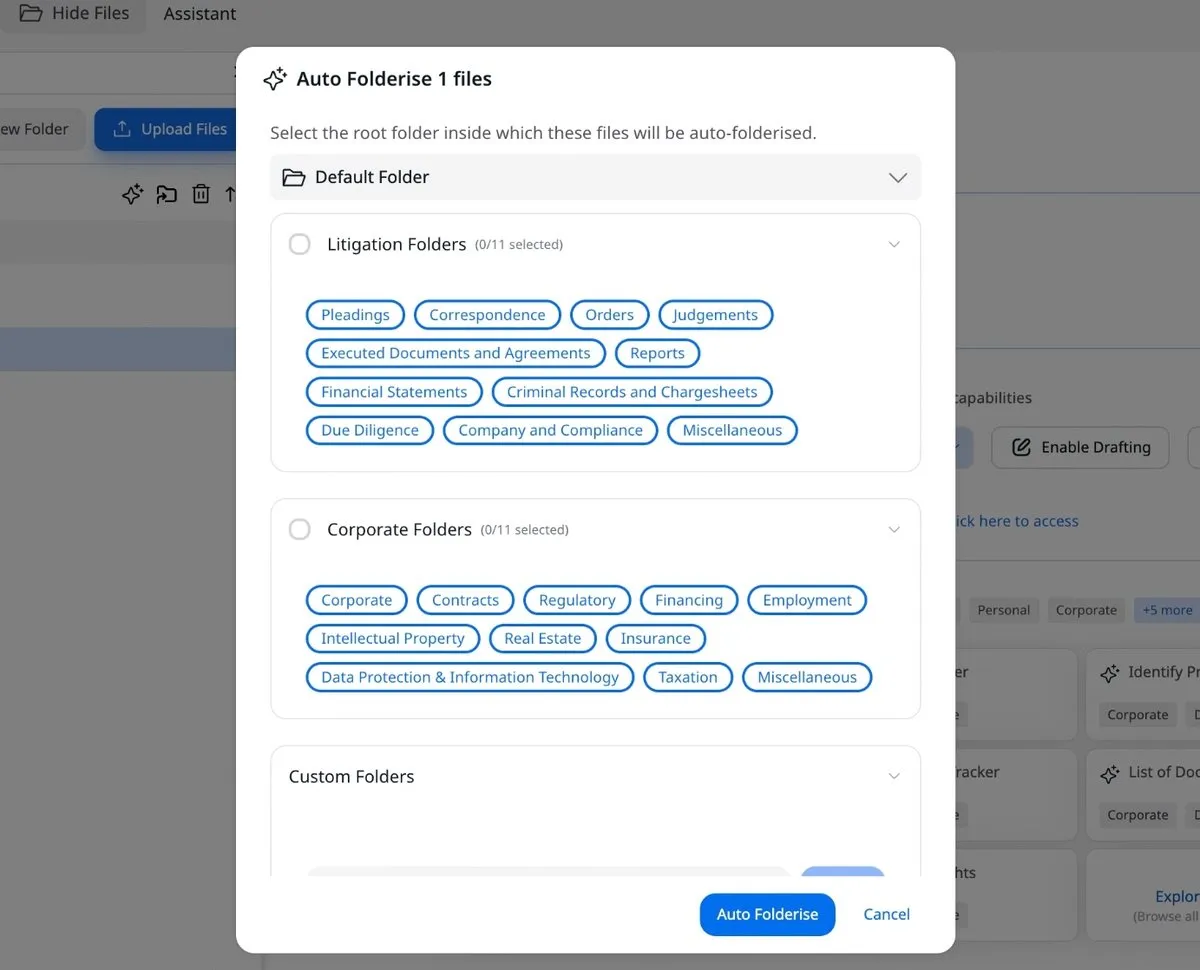
Auto-folderize sorts an upload into litigation folders.
The setup
In Document Review, the associate selects every file in the Project and turns on Research and Deep Mode, so Jurisphere reads across the whole record rather than one document at a time.
The prompt
The associate asks for the opening and concluding submissions for the rejoinder, and names each document and the role it plays:
“I’ll say that this document is used for this… and I copy-paste the name of the PDF so that it properly grasps the document.”
Before sending, the associate presses Tab to run Prompt Enhancement, which turns a short instruction into a fuller brief that can still be edited.
“I always try and enhance it and see if it is helping me or not.”
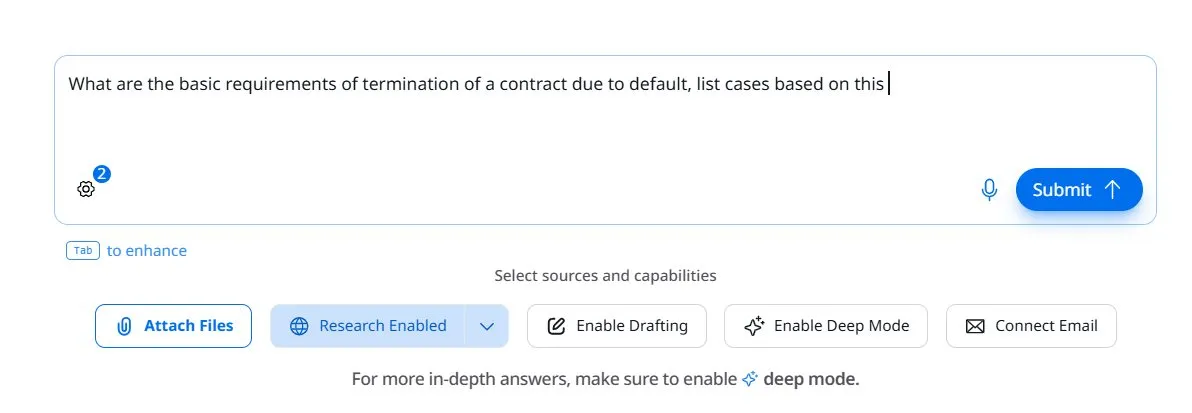
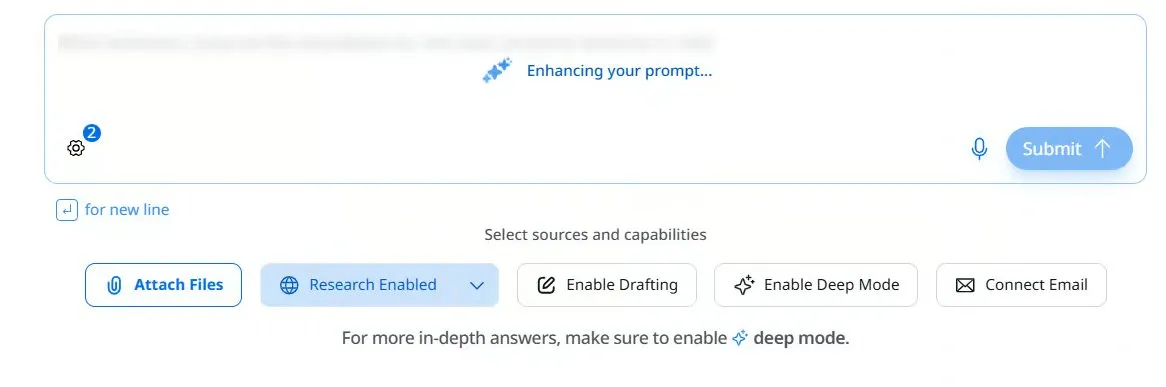
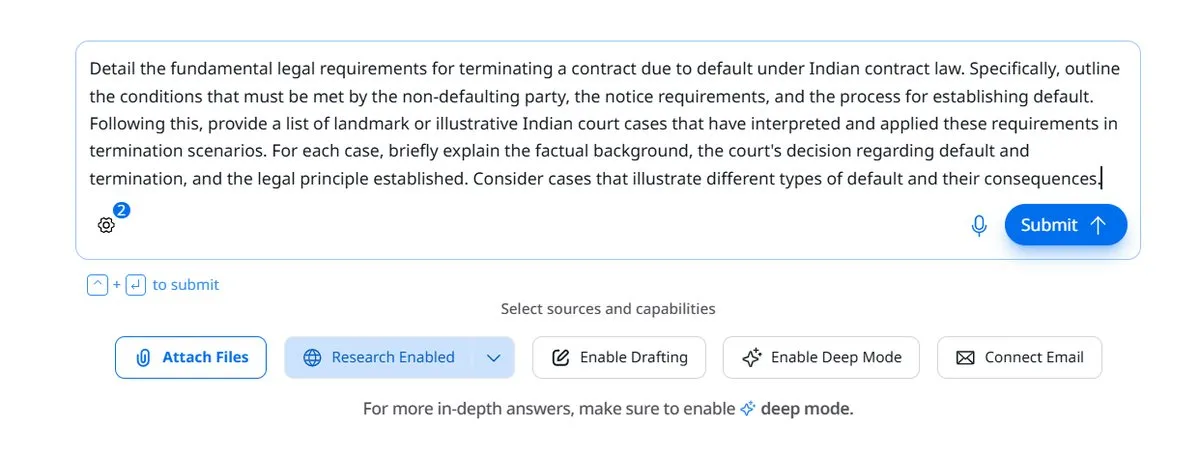
A plain prompt, Tab to enhance, and the fuller brief that comes back.
Checking the draft
The draft is a starting point. The associate reads it against the record and against the argument the firm wants to make:
“I’ll then check it, cross-verify it with the submission and with what I have to say… para by para.”
Research on the same matter
With the same files in place, the associate asks for authority:
“I am the applicant. Give me some case laws which are favourable to the applicant’s case as far as the application and the contentions in the rejoinder.”
A reasoning agent lays out its plan, works through statute and judgments, and returns a note where each line is referenced to source. Follow-up questions narrow it to a specific defence or a more recent line of authority. How many does it take to get there? “Max three to five.”
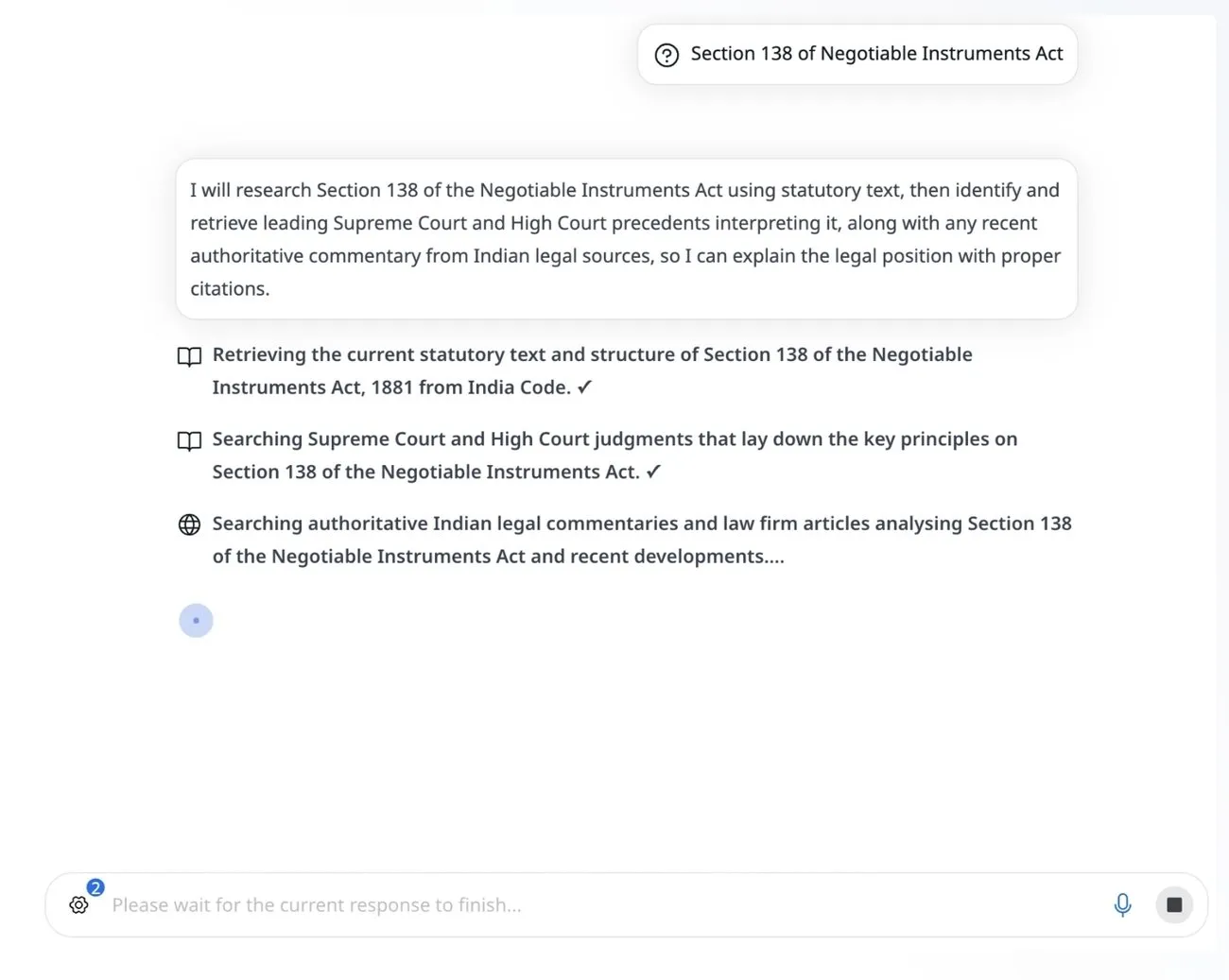
The research agent sets out its plan before drafting the note.
The finish
The associate settles the paragraphs himself and adds issue-wise headings, “so that when the judge reads it, it will help him understand the contentions para-wise.”
Other ways the firm uses it
Searching a large record by context. On a 4,000-page record, the associate no longer runs a hundred keyword searches. “After uploading it, I just give the context of what I’m searching for. It will search it for me.”
Following an earlier draft’s format. When a new submission should match the structure and formatting of one the firm has already filed, the earlier draft goes in as the model to follow.
Bringing a junior colleague up to speed. The team says a junior colleague’s drafting and research have both got faster since starting on Jurisphere.
Late nights before a filing. When a question comes up at 11 pm before a filing, the record and the research are already in one place, so the team can work through it then rather than wait for the morning.
Built so the work is defensible
For any lawyer weighing up AI, this is the question under all the others. Any AI can be wrong, and a hallucinated authority won’t survive partner review. Treating the tool as infallible would be the unsafe position.
What the firm has worked out is a way of using it that gives it no room to mislead. The lawyer makes every call, and every line is confirmed against the record before it goes anywhere. In-line citations make that quick: each assertion points back to the judgment or document it came from.
“I just ask it to put the relevant page numbers or give me the citations. Then I’ll just go and check.”
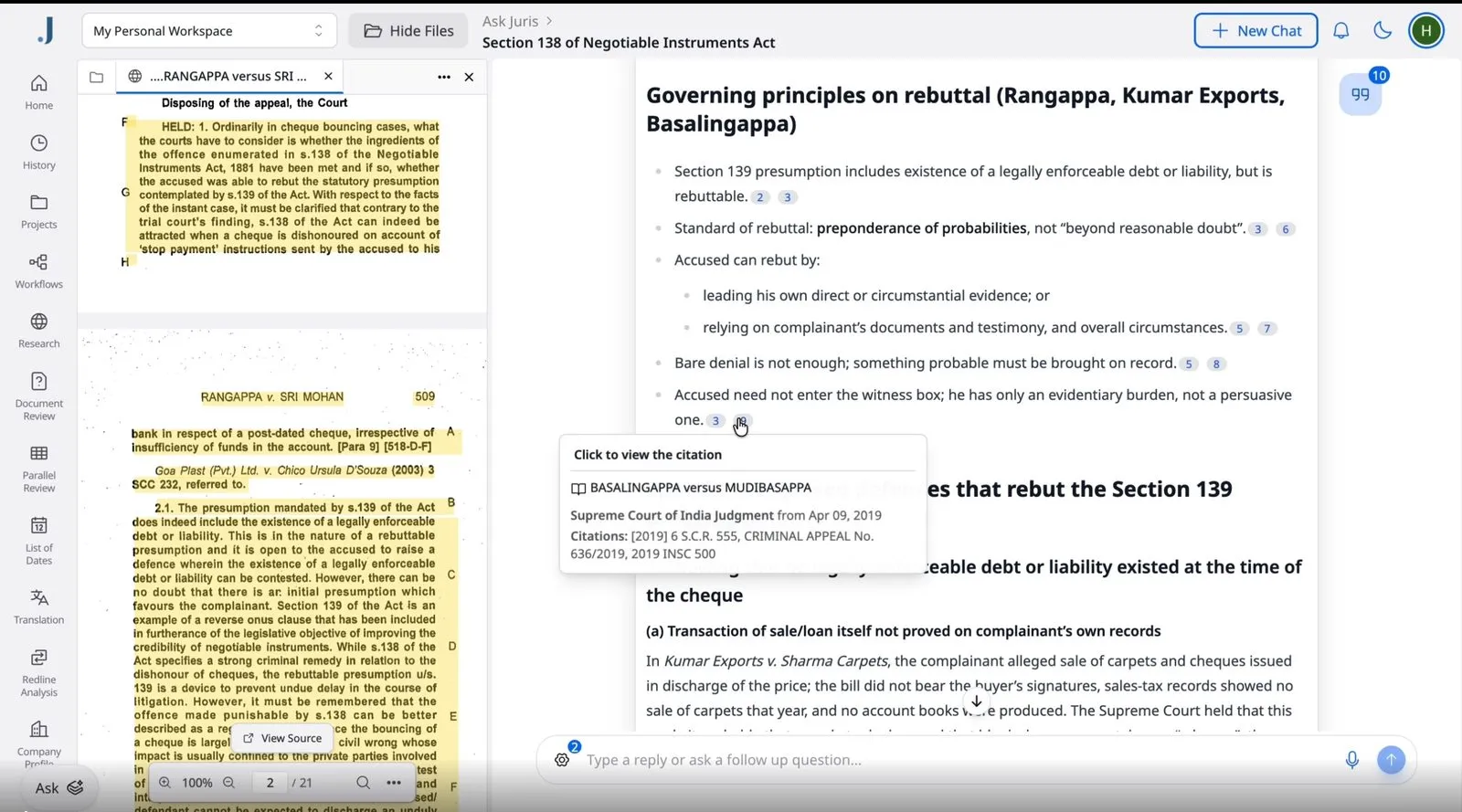
Clicking a citation opens the source beside the answer, with the passage highlighted.
The judgment, the strategy and the arguments stay with the advocate.
“I never take legal help from it. I just tell it what to do.”
We described it as a very smart intern who is always available, and they agreed.
What it has changed
“It is saving me time… it increased my speed in terms of drafting. And research is fabulous.”
“I don’t want to say it, but somewhere I am also now a little dependent on this.”
See what changes on your own matters
Bring the volumes, the pleadings and the contentions. We will walk through a real matter with your team. Book a walkthrough.
Further reading on the Jurisphere Guide: